Learn
Markdown Formatting Tips for Professional PDFs
Write Markdown that converts to beautiful, well-structured PDFs — headings, tables, code blocks, images, and more.
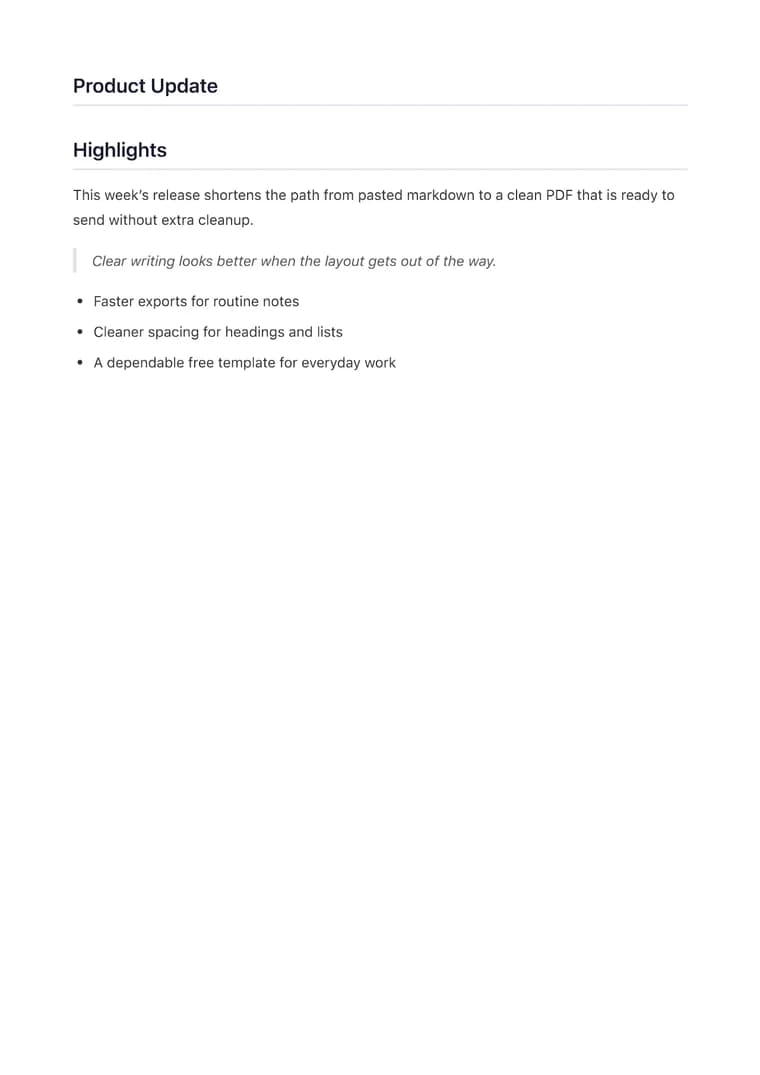
What you will produce
Try the related templateOn this page
Well-formatted Markdown produces well-formatted PDFs. This guide covers the techniques that make the biggest difference in your final output — from heading structure to table design to code block styling.
Heading Hierarchy Matters
Your heading structure determines the document outline. Use a logical hierarchy:
# Document Title (h1)
## Major Section (h2)
### Subsection (h3)
#### Detail Level (h4)
Tips:
- One h1 per document — it becomes the PDF title.
- Use h2 for main sections (Introduction, Methods, Results, Conclusion).
- Use h3 for subsections within each section.
- Avoid skipping levels (h2 → h4 without h3).
The Legal template automatically numbers its top-level sections, so a clear heading hierarchy keeps that numbering meaningful. In every template, a logical hierarchy produces a cleaner document outline.
Tables That Look Great
Tables are one of the most powerful features. Here’s how to make them work well in PDFs:
| Project | Status | Budget | Lead |
| --- | --- | --- | --- |
| Website Redesign | In Progress | $45,000 | Alice |
| Mobile App | Planning | $30,000 | Bob |
| API Migration | Complete | $15,000 | Carol |
Column Alignment
Use colons in the separator row to control alignment:
| Item | Qty | Price |
| :--- | ---: | :---: |
| Left-aligned | Right-aligned | Centered |
| Widget | 5 | $240 |
| Service | 12 | $1,200 |
:---— left align (default)---:— right align (good for numbers):---:— center align
Escaping Pipe Characters
If your cell content contains a |, escape it with a backslash:
| Command | Description |
| --- | --- |
| `cat file \| grep error` | Find errors in logs |
Tips:
- Keep column labels short: Long headers create wide columns that may overflow.
- Limit to 4-5 columns: More columns become hard to read on A4/Letter paper.
- Preview before exporting: Wide tables may need shorter labels.
Code Blocks with Syntax Highlighting
Wrap code in triple backticks with a language tag. The PDF will apply syntax highlighting automatically.
Basic Syntax
```python
def calculate_growth(revenue: list[float]) -> float:
    if len(revenue) < 2:
        return 0.0
    return (revenue[-1] - revenue[-2]) / revenue[-2] * 100
```
Common Languages
| Language | Tag |
|---|---|
| Python | python |
| JavaScript | javascript |
| TypeScript | typescript |
| Bash / Shell | bash |
| SQL | sql |
| JSON | json |
| YAML | yaml |
| HTML | html |
| CSS | css |
| Rust | rust |
| Go | go |
| Java | java |
| C++ | cpp |
Example: JSON Config
```json
{
  "name": "quarterly-report",
  "templateId": "executive",
  "options": {
    "pageNumbers": true
  }
}
```
Example: Shell Commands
```bash
curl -X POST https://api.example.com/v1/reports \
  -H "Authorization: Bearer $TOKEN" \
  -d '{"period": "Q3", "format": "pdf"}'
```
Tips:
- Always include the language tag — without it there is no highlighting.
- Use inline
`code`backticks for short references likefilenameortrue. - Keep blocks under 50 lines for clean pagination.
Images in Your PDFs

Requirements:
- Images must be publicly accessible URLs (not local files).
- Supported formats: PNG, JPEG, WebP.
- Images auto-scale to fit the page width.
Tips:
- For logos in custom templates, use the image upload feature instead of Markdown images.
- Keep images under 2 MB for fast rendering.
- Use descriptive alt text — it appears if the image fails to load.
Blockquotes for Callouts
> **Key Finding**: Revenue grew 15% year-over-year, exceeding our Q3 projection by 3 percentage points.
Blockquotes render with a left border and indentation. Use them for:
- Key findings or takeaways
- Customer quotes or testimonials
- Important notes or warnings
- Excerpts from external sources
Lists — Bulleted and Numbered
### Key Deliverables

- Q4 Marketing Plan
  - Social media calendar
  - Email campaign schedule
- Budget Allocation
  - Departmental breakdowns
  - Contingency reserve

### Action Items

1. Review draft with stakeholders
2. Incorporate feedback by Friday
3. Submit final version for approval
4. Archive previous versions
Tips:
- Use bulleted lists for unordered items.
- Use numbered lists for sequential steps.
- Nest lists up to 3 levels deep.
- Leave a blank line before and after lists for proper spacing.
Links and References
See the [API documentation](https://markdowntopdfconverter.com/api-docs) for details.

For questions, contact [support@markdowntopdfconverter.com](mailto:support@markdowntopdfconverter.com).
Links are clickable in the PDF. Use descriptive link text — avoid “click here.”
Mermaid Diagrams
Add diagrams directly in Markdown using Mermaid syntax. They render as sharp vector graphics in the PDF. Mermaid rendering requires a premium plan.
Each diagram starts with ```mermaid and a type keyword on the next line.
Flowchart
Show processes, decisions, and workflows.
```mermaid
graph TD
    A[Start] --> B{Is approved?}
    B -->|Yes| C[Publish]
    B -->|No| D[Revise]
    D --> B
    C --> E[Done]
```
Key bits: graph TD = top-down. Use LR for left-to-right. [] = rectangle, () = rounded, {} = diamond, --> = arrow, -->|label| = labeled arrow.
Sequence Diagram
Show interactions between participants over time.
```mermaid
sequenceDiagram
    Client->>Server: POST /api/convert
    Server->>Gotenberg: Render PDF
    Gotenberg-->>Server: PDF binary
    Server-->>Client: 200 OK (PDF)
```
Key bits: ->> = solid arrow, -->> = dashed response. Participants are created automatically from names.
Gantt Chart
Plan projects with timeline bars.
```mermaid
gantt
    title Q3 Launch
    dateFormat  YYYY-MM-DD
    section Design
    Wireframes    :2026-07-01, 7d
    Prototype     :2026-07-08, 5d
    section Build
    Frontend      :2026-07-13, 10d
    Backend       :2026-07-13, 12d
    section Launch
    QA            :2026-07-25, 4d
    Go Live       :milestone, 2026-07-30, 0d
```
Key bits: section groups tasks. Format: TaskName :start, duration. milestone marks a single date.
Pie Chart
Simple proportional data.
```mermaid
pie title Revenue by Region
    "North America" : 45
    "Europe" : 30
    "APAC" : 25
```
Class Diagram
Show object relationships for technical docs.
```mermaid
classDiagram
    User <|-- Admin
    User : +String email
    User : +login()
    Admin : +manageUsers()
    Report *-- User
    Report : +String title
    Report : +generatePdf()
```
Key bits: <|-- = inheritance, *-- = composition. + = public method/field.
Additional Types
Also supported: state diagrams, entity-relationship diagrams, journey maps, git graphs, and quadrant charts. Full syntax reference at mermaid.js.org.
Tips:
- Mermaid renders as SVG — it stays crisp at any zoom level.
- Use the Creative template for Mermaid-heavy documents (it pre-sizes diagram containers).
- Diagrams auto-fit the page width. Keep node labels concise to avoid overflow.
- Test complex diagrams in the live preview before exporting.
Document Structure Checklist
Before exporting, verify:
- One h1 title at the top
- Logical heading hierarchy (h1 → h2 → h3)
- Tables have consistent column counts
- Code blocks have language labels
- Images have descriptive alt text
- Links use descriptive text
- Lists have blank lines before and after
- No HTML tags (use pure Markdown)
Next Steps
- Try these techniques in the converter with live preview.
- Learn how to design a custom template that uses your brand’s typography.
- Compare all nine built-in templates to find the right one for your content.