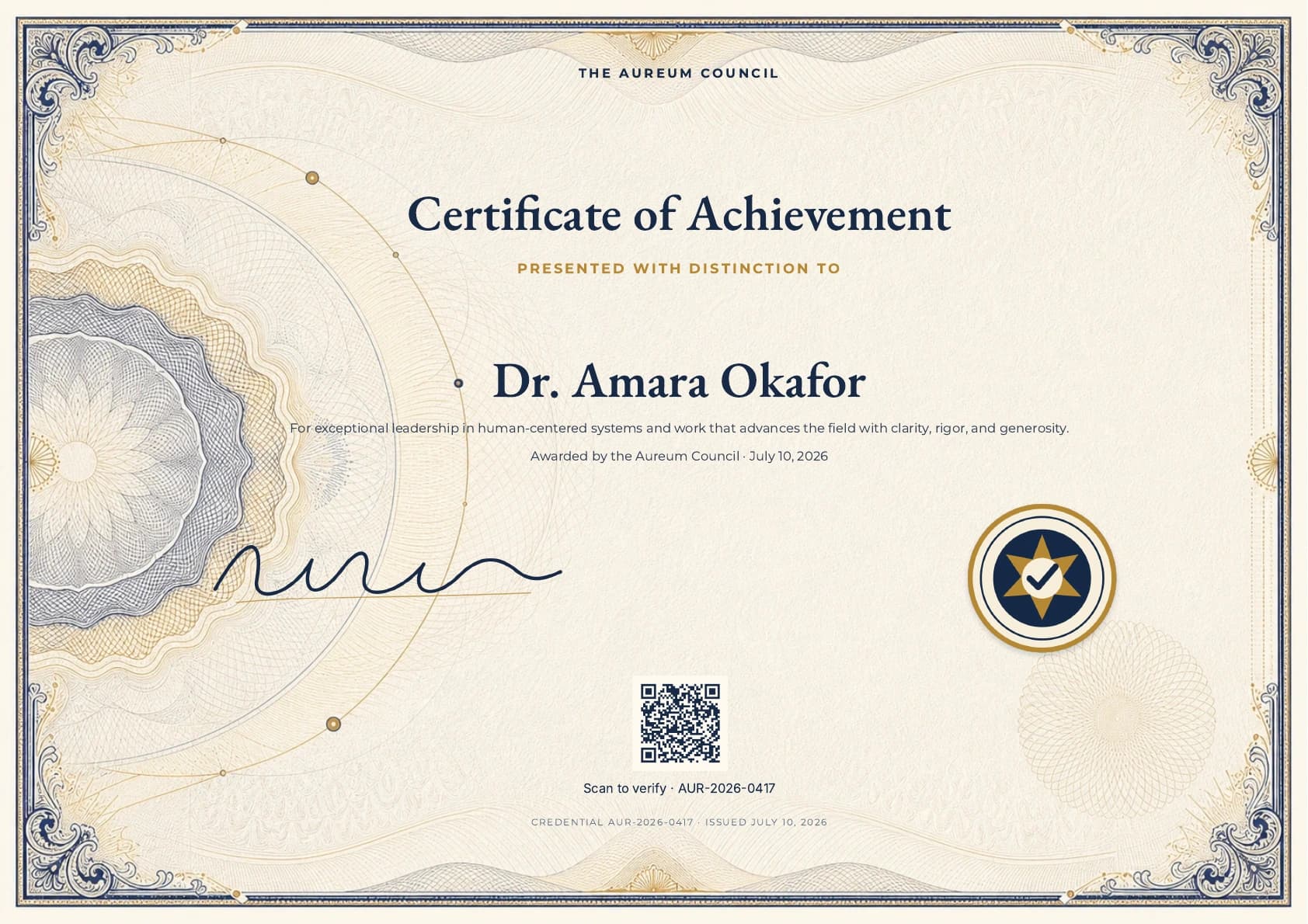
4:17, captured continuously in the real product. The session starts blank, enters every render-critical setting, saves the schema, renders the exact PDF, and downloads the finished certificate.
Build timeline
| Time | What you will do |
|---|---|
| 0:00 | Start with a blank credential |
| 0:11 | Create the institutional palette and font pairing |
| 0:21 | Add the real award and recipient copy |
| 0:27 | Upload the guilloche, signature, and seal |
| 0:38 | Compose the asymmetric A4 landscape safe area |
| 0:58 | Build the issuing institution |
| 1:23 | Shape the award and recipient hierarchy |
| 2:16 | Position the transparent signature and seal |
| 2:53 | Add the high-recovery verification QR |
| 3:17 | Finish the visible credential serial |
| 3:39 | Save, inspect the exact proof, and export |
Build beside the video
- Open the blank template builder beside the video and pause after each chapter.
- Enter the demonstrated values for an exact Aureum copy, or replace the institution, palette, fonts, artwork, award copy, trust marks, serial, and verification destination with your own system.
- Render PDF proof before issuing. The proof and Premium Download use the same production PDF renderer.
For the fastest route, open the ready-made Aureum starter. You can also inspect the finished A4 certificate PDF before building.
Exact specifications and production checks
The exact design system
| Layer | Demonstrated setting | Purpose |
|---|---|---|
| Page | A4 landscape; 54 / 84 / 46 / 128 px padding | Clears the engraved border and large left medallion |
| Artwork | Centered Cover crop on archival ivory #fffaf0 |
Keeps the complete security-print composition edge to edge |
| Display type | EB Garamond, 43 px, semibold | Gives the award and recipient institutional presence |
| Detail type | Montserrat, 11 px, 1.45 line height | Keeps citation and provenance precise in print |
| Signature | 300 × 84 at x 30, y 12 | Anchors the lower-left award field without distortion |
| Seal | 126 × 126 at x 610, y 0 | Balances the signature with an independent trust mark |
| Verification | 82 px QR, H recovery, ivory quiet zone | Preserves scanning after compression, print, or photography |
The guilloche carries the ornament. A disciplined center hierarchy keeps variable recipient information clear, while the signature, seal, QR, and visible serial remain independently editable.
Credential Markdown
Keep recipient data short and ordered by importance:
# The Aureum Fellowship

## Awarded with distinction to

# Dr. Maya Chen

For exceptional leadership in human-centered systems and a body of work that advances the practice with clarity, rigor, and generosity.

Conferred by the Aureum Council · July 10, 2026
The first H1 names the credential. The H2 states the distinction. The second H1 gives the recipient equal ceremonial weight. Citation and conferral remain plain paragraphs so future issuers can change the record without redesigning the page.
Verification and issue checklist
- Give every issued credential one immutable serial and one stable HTTPS verification route.
- Repeat the same serial in the visible QR caption and footer.
- Keep dark QR modules on a light quiet zone; decorative gold codes are less reliable.
- Upload transparent PNG signatures and seals rather than screenshots with white boxes.
- Confirm the longest recipient name and citation stay inside the engraved quiet center.
- Check that neither trust mark overlaps the citation, QR, border, or lower rosette.
- Render a new exact proof whenever the paper size, crop, fonts, artwork, layer positions, serial, or verification destination changes.
- Open the downloaded PDF on a phone, print it at actual size, and scan the QR from both versions before issuing a batch.
A signed-up free account includes five premium PDF exports, including custom-template certificates. Use those exports to test long recipient names, a real signature, your verification route, screen scanning, and print scanning before upgrading.
From Markdown to a finished publication