Learn
Which Template Should You Use? A Complete Comparison
Compare nine built-in layouts, including three Scholar formats for publications, peer review, and conference proceedings.
What you will produce
Try the related templateOn this page
Choosing the right template makes a PDF look intentional because its typography and spacing match the job. Start with purpose, then adjust color and options only when they improve that purpose.
Quick Picks
| If you’re creating… | Use… |
|---|---|
| Internal notes, drafts, or quick exports | Clean |
| Client reports, proposals, or board decks | Executive |
| A CV, resume, or portfolio | Resume |
| A job application letter | Cover Letter |
| A finished research article or scholarly report | Scholar Publication |
| A manuscript for peer review | Scholar Submission |
| A compact conference paper | Scholar Proceedings |
| A contract, terms document, or legal filing | Legal |
| A pitch deck, marketing one-pager, or creative portfolio | Creative |
Clean — The Everyday Workhorse
Font: Inter (sans-serif)
Best for: Notes, drafts, internal documents, general use
Clean is the default template and the fastest to use. It has minimal styling — clear hierarchy, readable typography, and no decorative elements. If you just need to get Markdown into a PDF, Clean is the answer.
Strengths:
- Fastest rendering
- Works with any content
- No visual distractions
- Ideal for accessibility (high contrast, simple layout)
When to choose something else: If your document needs to impress a client or convey authority, Executive or Creative will serve you better.
Executive — For Client-Facing Documents
Fonts: Libre Baskerville (body), Montserrat (headings)
Best for: Reports, proposals, board presentations, client deliverables
Executive pairs a clean sans-serif heading with a classic serif body. Navy blue headings, generous spacing, and optional page numbers give it a professional, authoritative feel. This is the template to use when the document represents your brand to an external audience.
Strengths:
- Professional serif/sans font pairing
- Optional page numbers
- Strong heading hierarchy
- Works well for 5-50 page documents
Pro tip: Enable page numbers and use descriptive headings — Executive’s heading styling makes document structure easy to scan.
Resume — Compact and Focused
Fonts: Fraunces (name/headings), Inter (body)
Best for: CVs, resumes, one-page profiles, portfolio summaries
Resume is optimized for dense, scannable content on a single page. It uses compact spacing, clear section headers, and a layout that guides the reader’s eye through your experience.
Strengths:
- Fits more content per page
- Clean, professional look
- Section headers pop without being aggressive
- Works for both chronological and skills-based resumes
Pro tip: Use h2 for section titles (Experience, Education, Skills) and h3 for role titles. The template’s spacing handles the rest.
Cover Letter — A Matching Career Letter
Fonts: Fraunces (name and title), Inter (body)
Best for: Cover letters, letters of intent, and one-page job applications
Cover Letter uses the same Fraunces and Inter pairing as Resume but gives prose more room. The result feels like one visual career system rather than an unrelated letter attached to a resume.
Strengths:
- Matches the Resume template
- Comfortable measure for three to five short paragraphs
- Clear sender and recipient hierarchy
- Designed to stay composed on one page
Pro tip: Keep one opening paragraph, two evidence paragraphs, and one concise close. A cover letter becomes weaker when the layout has to compress a second page of general claims.
Scholar — Three Academic Formats
Fonts: Source Serif 4 (body), Source Sans 3 (headings and metadata), STIX Two Math (equations), IBM Plex Mono (code)
| Format | Best for | Layout |
|---|---|---|
Scholar Publication (academic) |
Finished articles, theses, research reports | Reader-first single column with publication metadata and compact end matter |
Scholar Submission (academic-submission) |
Journal and peer-review manuscripts | 12-point, double-spaced, one-inch-margin review copy |
Scholar Proceedings (academic-proceedings) |
Conference and technical papers | Full-width front matter with a compact two-column body |
All three understand structured front matter for authors, affiliations, ORCIDs, DOI, abstract, keywords, highlights, funding, contributor roles, conflicts, ethics, data and code availability, acknowledgments, and license. The converter’s Scholarly details panel edits these fields without requiring YAML knowledge.
Legal — Formal and Traditional
Fonts: EB Garamond (body), Inter (headings)
Best for: Contracts, terms of service, privacy policies, legal filings
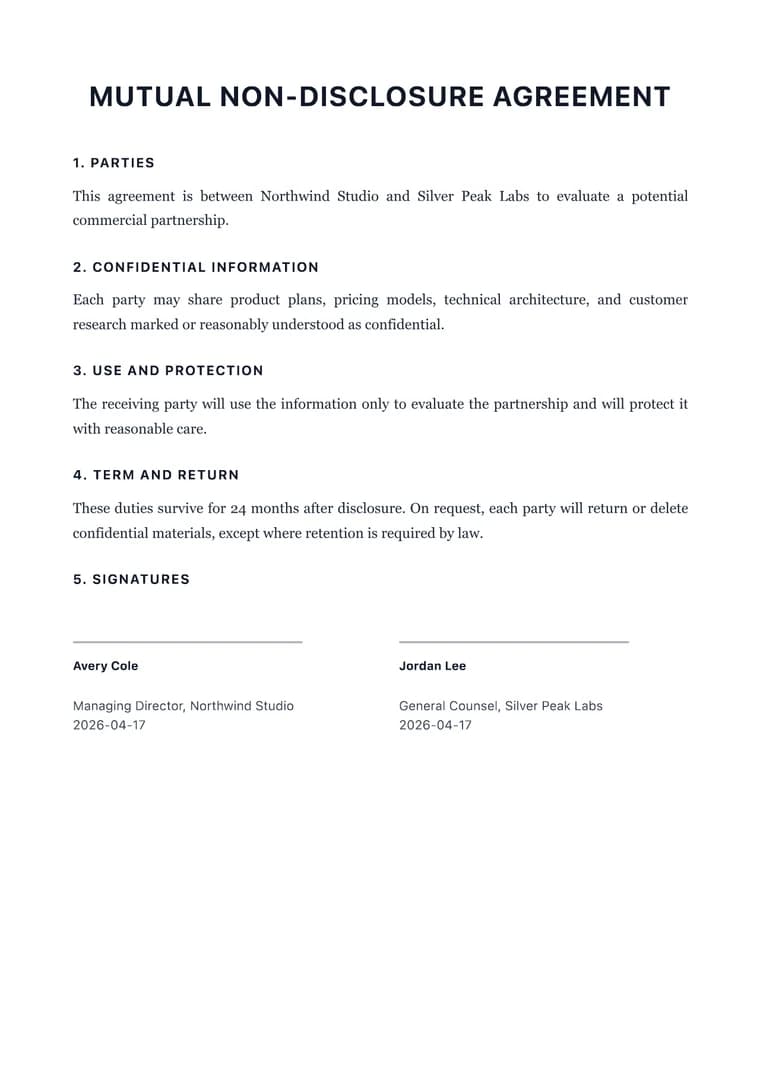
Legal uses a traditional serif body with formal spacing and clear section numbering. The typography signals authority and attention to detail — important for documents that carry legal weight.
Strengths:
- Traditional legal document styling
- Clear section numbering
- High readability for dense text
- Configurable accent color for firm branding
Pro tip: Use the Creative accent color picker (available on Legal) to match your firm’s brand color in section borders and headings.
Creative — Bold and Distinctive
Fonts: Space Grotesk (headings), DM Sans (body)
Best for: Pitch decks, marketing collateral, portfolios, creative briefs
Creative is the most visually distinctive template. Bold geometric headings, configurable accent colors, and modern spacing make it ideal for documents that need to stand out.
Strengths:
- Six configurable accent colors (slate, purple, blue, emerald, rose, amber)
- Bold geometric heading font
- Modern, airy layout
- Card-style code blocks
Pro tip: Try different accent colors with your content. Slate and blue work for corporate decks; rose and purple for creative portfolios; emerald for sustainability or finance themes.
Template Feature Matrix
| Feature | Clean | Executive | Resume | Cover Letter | Scholar family | Legal | Creative |
|---|---|---|---|---|---|---|---|
| Page Numbers | Optional | Optional | Optional | Optional | Optional | Optional | Optional |
| Accent Colors | No | No | No | No | No | 6 colors | 6 colors |
| Serif Body | No | Yes | No | No | Yes | Yes | No |
| Compact Spacing | No | No | Yes | Yes | No | No | No |
| Numbered Headings | No | No | No | No | No | Yes | No |
| Premium | No | Yes | Yes | Yes | Yes | Yes | Yes |
| Custom Template Compatible | Yes | Yes | Yes | Yes | Yes | Yes | Yes |
Mixing Templates with Custom Templates
Every built-in template can be used as the base for a custom template. This means you can start with Clean’s simplicity and add your brand colors, or start with Executive’s structure and swap in your company font. The Custom Template Builder gives you full control over typography, spacing, and branding regardless of which base template you choose.
Next Steps
- Try all nine layouts in the converter; switching templates updates the preview instantly.
- Build a custom template with your brand’s typography and colors.
- Check the getting started guide for a full walkthrough.