Use case
Markdown Tables to PDF
Turn markdown tables into a PDF that stays readable in reviews, status updates, and stakeholder handoffs.
Try 5 premium PDFs freeFree accounts get 5 premium PDF exports before upgrading.
PDF previewExecutive
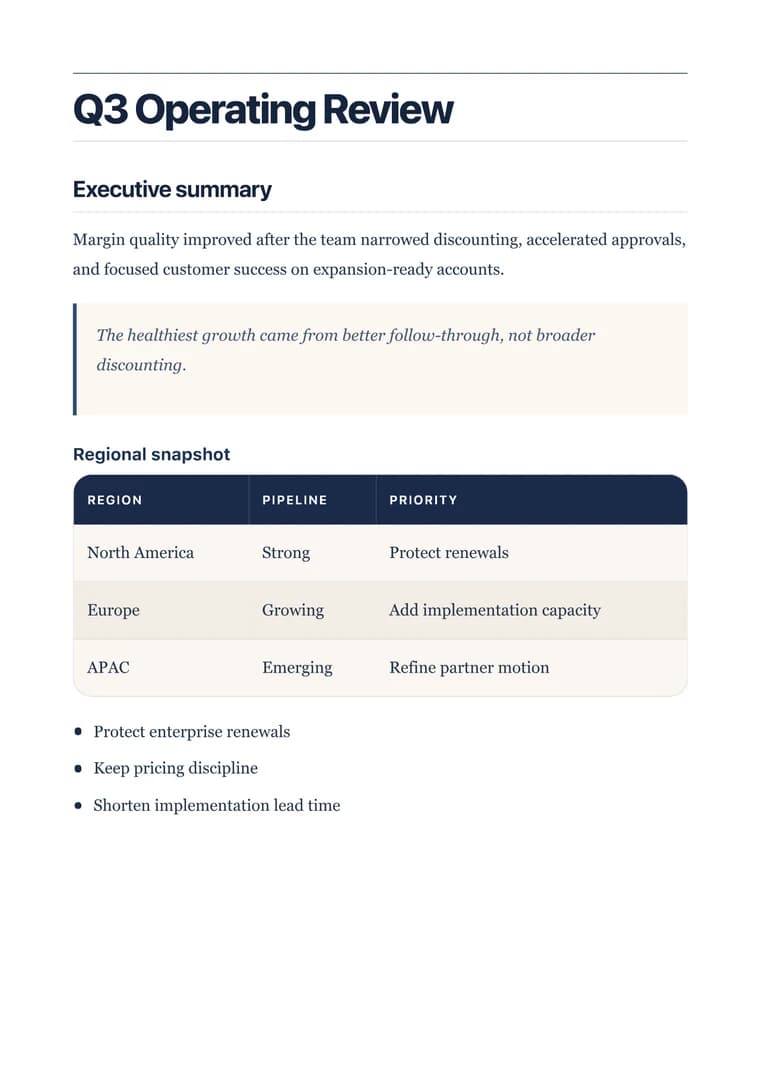
Use case
Turn markdown tables into a PDF that stays readable in reviews, status updates, and stakeholder handoffs.
templateId: "executive"Executive when the table needs stronger hierarchy and more breathing room for status-heavy reports.
It helps preserve header hierarchy, row grouping, and supporting notes so the table still makes sense once it becomes a standalone PDF.
Executive is a good starting point for table-heavy briefs because it gives status, notes, and headings stronger hierarchy around the table.
Shorten long column headers, remove columns no one needs, and check the widest row in preview before you download the final PDF.
Explore adjacent workflows when this document starts in a different tool or needs a different final layout.
Additional guides and resources for getting the most out of Markdown-to-PDF.
Write Markdown that converts to beautiful, well-structured PDFs — headings, tables, code blocks, images, and more.
A practical first-export walkthrough: choose the document you are making, select a task-specific template, inspect the preview, and verify the downloaded PDF.