Use case
Markdown Resume to PDF
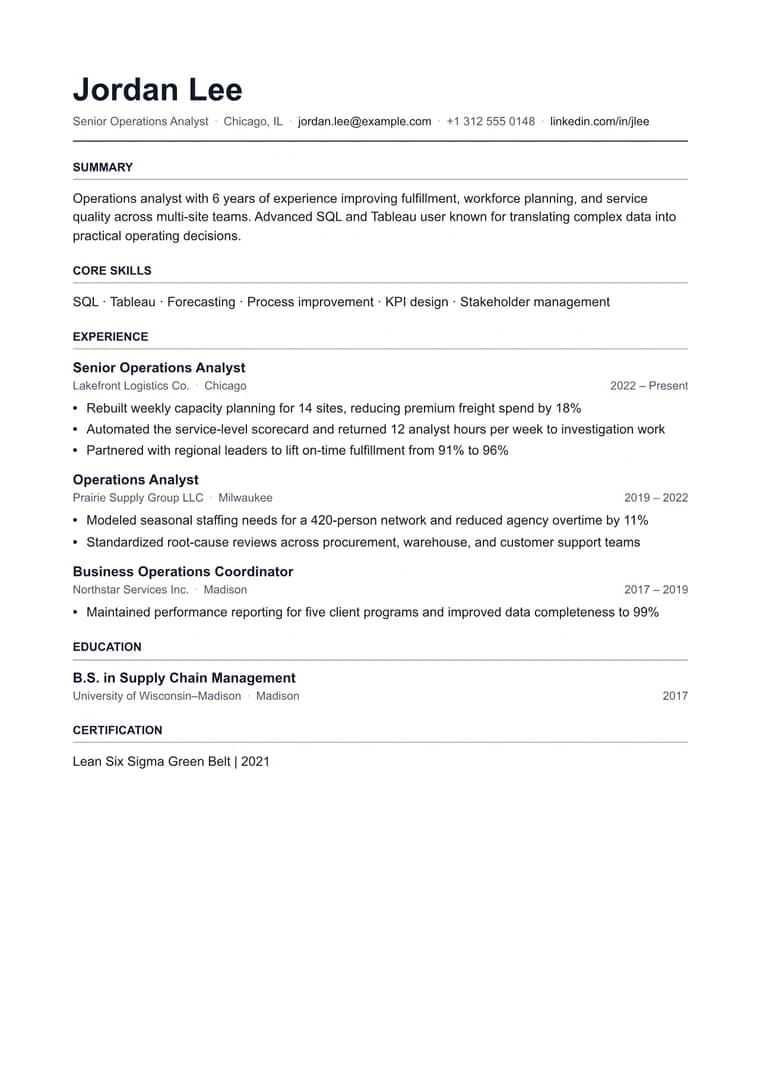
Turn a markdown resume into a clean one-page PDF that feels ready to send instead of copied from a notes app.
Try 5 premium PDFs freeFree accounts get 5 premium PDF exports before upgrading.
PDF previewATS Classic
Use case
Turn a markdown resume into a clean one-page PDF that feels ready to send instead of copied from a notes app.
templateId: "resume-ats"ATS Classic when you need a single-page layout that feels intentional and easy to scan.
It keeps section hierarchy, bullet spacing, and one-page discipline intact so the PDF stays easy for both people and recruiters to scan.
Resume is designed to keep experience, skills, and contact details tight and readable on a single page whenever possible.
If your markdown is already concise, the export is usually ready after a quick spacing review and one final preview.
Explore adjacent workflows when this document starts in a different tool or needs a different final layout.
Additional guides and resources for getting the most out of Markdown-to-PDF.