Markdown to PDF

Task-specific PDF converter

Markdown Cover Letter to PDF

Turn a Markdown cover letter into a polished one-page PDF that feels intentional next to your resume.

Recommended template

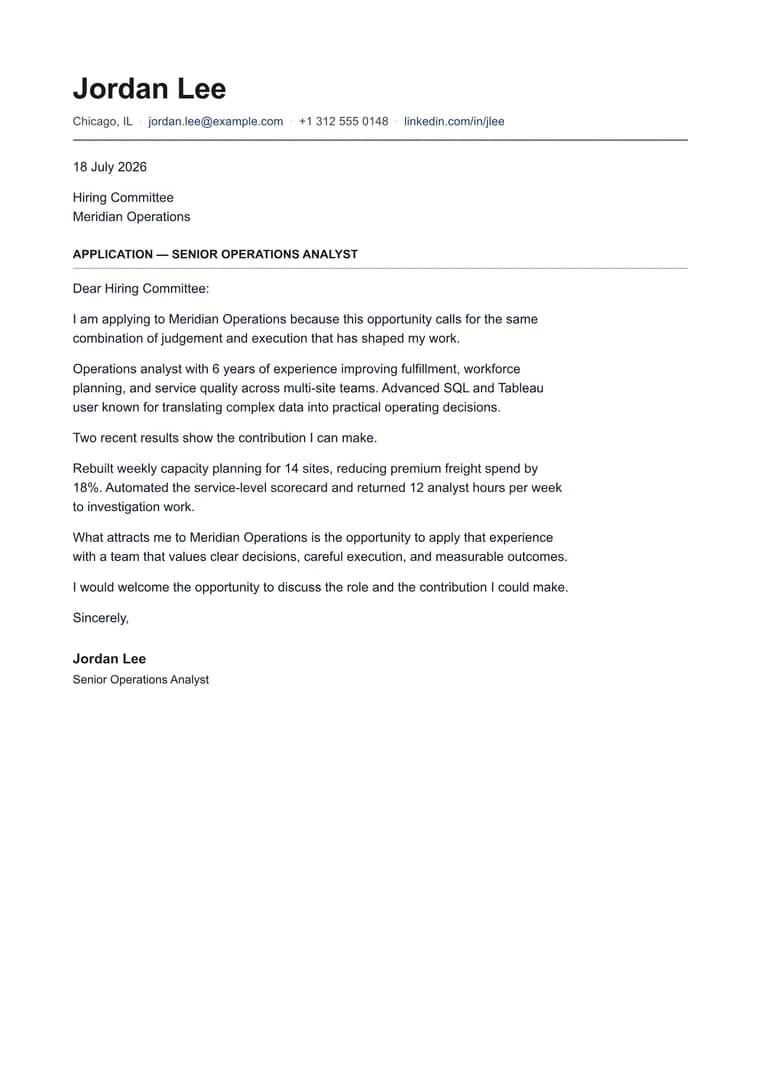
Cover Letter when the letter needs to feel like a finished application document, not a pasted note.

Why this workflow works

  • Keep application letters polished without rebuilding layout by hand for every role.
  • Pair the letter visually with a Markdown resume while preserving a professional one-page rhythm.
  • Export a clean PDF the moment the wording is ready.

How it works

  1. Paste the cover letter draft: Bring in the role-specific Markdown version with greeting, short body sections, and closing.
  2. Use the cover-letter layout: Choose a template that keeps the letter elegant, compact, and visually matched to your resume.
  3. Export the application copy: Check the page length and spacing, then download the PDF for the job application.

Questions before you export

What makes a Markdown cover letter export well to PDF?

It keeps the letter focused on greeting, role fit, proof points, and closing without turning the page into a generic block of text.

Which template should I use for a cover letter?

Cover Letter is tuned for a polished one-page letter that visually pairs with the resume template.

What should I check before exporting a cover letter?

Keep the opening specific, limit the body to two or three short paragraphs, and preview the page length before downloading.

Related converters

Try nearby document workflows that use the same Markdown-to-PDF engine.