Markdown to PDF

Task-specific PDF converter

Markdown Business Report to PDF

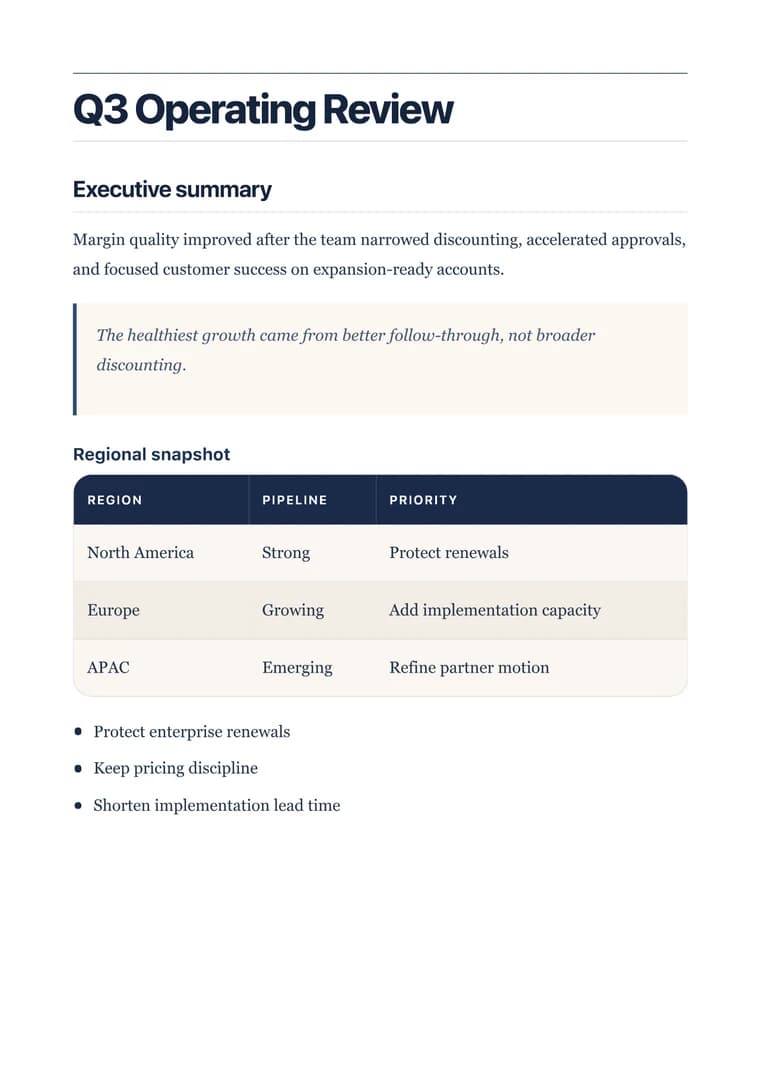
Turn a Markdown business report into a polished PDF with executive summary, metrics, risks, and next steps easy to scan.

Recommended template

Executive when a report needs clear hierarchy, readable tables, and a boardroom-ready rhythm.

Why this workflow works

  • Convert business reports from Markdown into polished PDFs without rebuilding layout by hand.
  • Keep metrics, recommendations, and tables readable when the report leaves the editor.
  • Give stakeholders a file that feels finished enough for review or distribution.

How it works

  1. Paste the report markdown: Bring in the version with summary, metrics, analysis, recommendations, and supporting tables.
  2. Use an executive layout: Apply a business template that gives section hierarchy and tables enough structure for stakeholder review.
  3. Export the stakeholder copy: Preview the summary and table spacing, then download the PDF for distribution.

Questions before you export

What should a business report PDF keep clear?

It should preserve the executive summary, key metrics, tables, risks, and recommendations so a stakeholder can scan the PDF quickly.

Why use the Executive template for reports?

Executive gives report sections, tables, and callouts a polished hierarchy without making the document feel like a generic markdown printout.

What should I review before exporting?

Check that the summary, metric table, risks, and next steps still appear in the intended order before downloading.

Related converters

Try nearby document workflows that use the same Markdown-to-PDF engine.