学习
How to Convert ChatGPT Output to PDF
A practical workflow for cleaning up ChatGPT answers and exporting them as readable PDFs.
发布 2026-04-20 · 更新 2026-04-20
Turn ChatGPT answers into a PDF you can send
ChatGPT is great at producing drafts, outlines, specs, and reports. The last mile is usually formatting. A raw answer copied from chat often needs a cleaner layout before you can send it to a client, manager, or teammate.
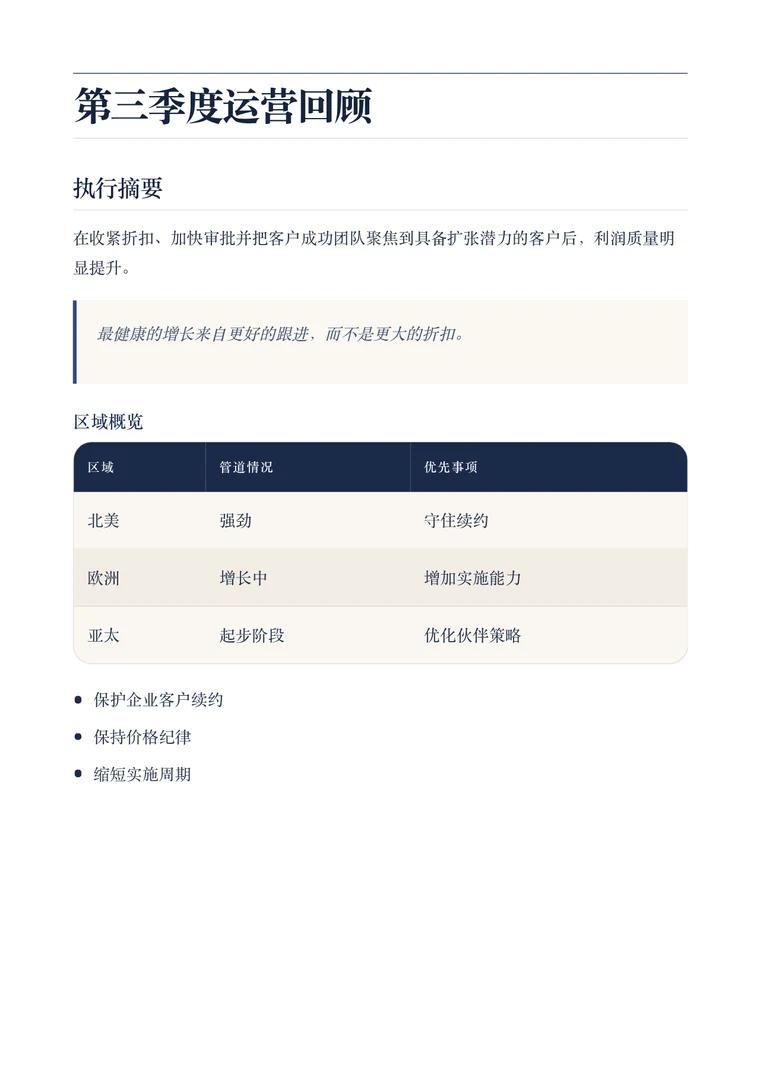
Markdown to PDF works well here because headings, bullet lists, tables, and code blocks survive the trip from chat to document. Instead of rebuilding the content in a word processor, you can paste the markdown, preview the result, and export a polished PDF in a few clicks.
A simple workflow
- Ask ChatGPT for markdown output when possible.
- Paste the response into the converter.
- Pick a template that matches the audience.
- Check the preview for long tables, lists, or diagrams.
- Export the final PDF once the layout looks right.
When to use a clean template
The clean template is usually the fastest choice for internal notes, summaries, and client-facing drafts. If the content needs a stronger visual hierarchy, switch to Executive. If the content is a resume or portfolio page, use Resume or Creative instead.
What to watch before exporting
Look for headings that are too long, tables that need shorter labels, and fenced code blocks that would benefit from language labels. Small edits before export usually save the most cleanup time after export.